Deep Dive: Kafka
25th June, 2026
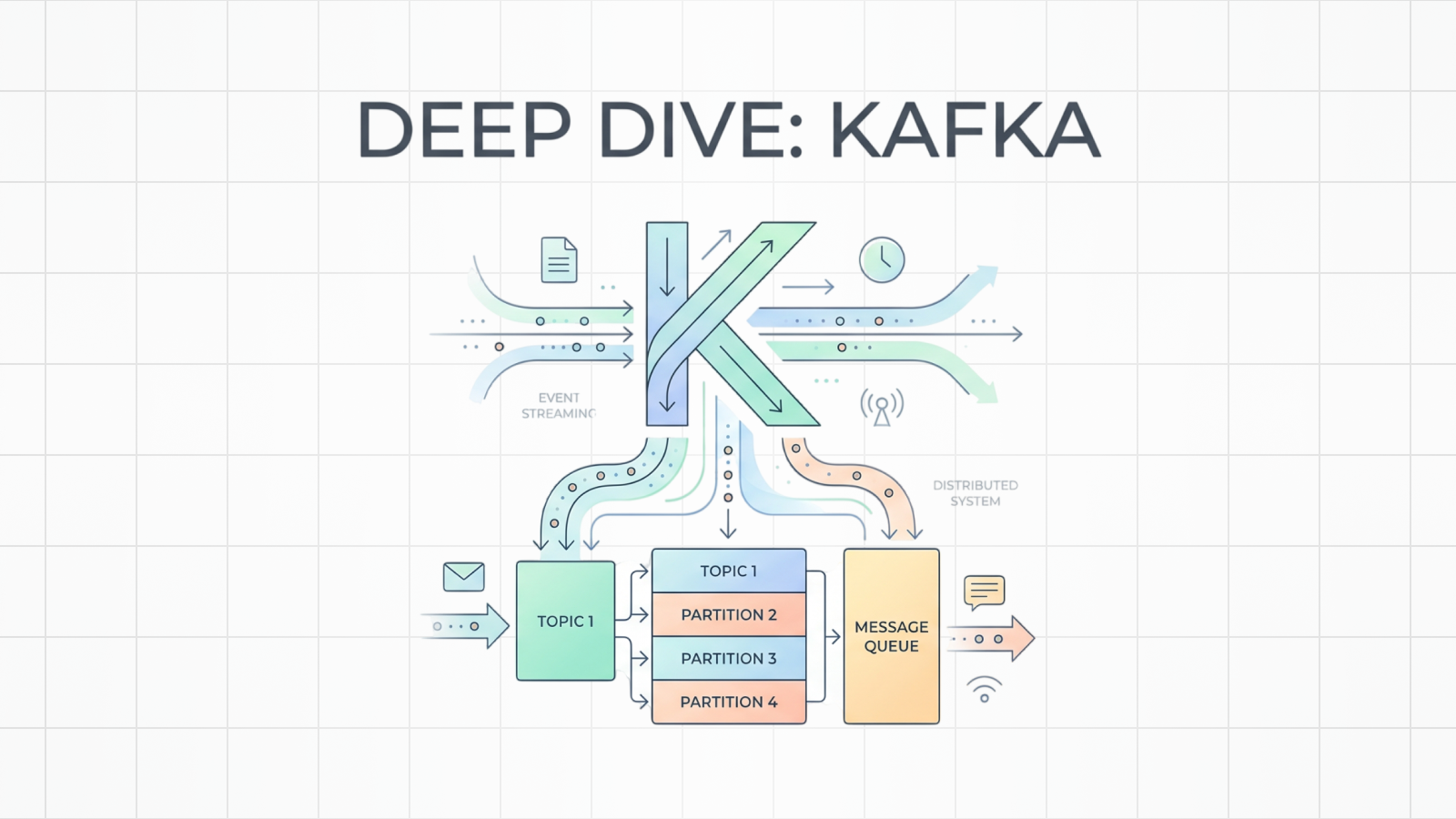
If you work in software engineering, you have probably heard of Kafka. You might have used it at your last co-op, seen it in a job description, or heard someone say, "Just put it on Kafka."
That simple instruction often hides significant system complexity.
Apache Kafka is an open-source distributed event streaming platform. In practice, that means Kafka can act like a message queue, a pub/sub system, a durable event log, and the backbone for stream processing.
Kafka is especially useful for engineering workloads that need high throughput, scalability, durability, and the ability to process large amounts of data in near real time.
Let's break down the phrase "open-source distributed event streaming platform."
- Open source: Kafka's source code is public and actively maintained.
- Distributed: Kafka runs across multiple machines instead of one machine.
- Event: A record of something that happened.
- Streaming: Events are continuously produced, stored, and consumed over time.
- Platform: Kafka is not just one queue. It is an ecosystem for moving, storing, and processing events.
That definition is technically correct. It is also abstract.
To make Kafka concrete, start from the problem it solves.
What Problem Are We Solving?
Imagine you're building a ride-share app.
A user opens the app and requests a ride. Behind the scenes, a lot of things need to happen:
You could try to do all of this in one request.
async function requestRide() {
  const ride = await createRide();

  await findDriver(ride);
  await notifyRider(ride);
  await notifyDriver(ride);
  await authorizePayment(ride);
  await updateAnalytics(ride);
  await runFraudChecks(ride);

  return ride;
}
This works only while every downstream system is healthy and fast.
A slow analytics service should not block rider matching.
A receipt service outage should not cause the ride request to fail.
A better system separates the action from the side effects.
The API can say, "A ride was requested," publish that event somewhere durable, and let other systems react to it independently.
POST /rides

202 Accepted

event: ride_requested
Then other services can consume that event.
A queue helps separate the request from the downstream work.
What is a Message Queue?
A queue acts as a buffer between a producer and a consumer.
The producer puts work into the queue.
The consumer takes work out of the queue.
A queue is useful because it decouples systems.
The producer does not need to know how fast the consumer is. It just needs to put work somewhere safe.
Queues provide three major advantages.
- They absorb traffic spikes. If FIFA tickets suddenly drop, workers responsible for processing transactions might not be able to handle the traffic immediately. A queue can hold the messages while the workers process them.
- They let you scale workers horizontally. If there are 100 messages per second coming in, and one worker can only handle 20 messages per second, you can run 5 workers.
- They decouple deployment and failure. If your consumers are being deployed, restarted, or temporarily broken, the producer can keep publishing work while the messages wait in the queue.
But queues also introduce a tradeoff. They add latency.
If something needs an immediate synchronous response, a queue might not be the right tool. A queue is a poor fit for latency-sensitive request paths. Queues are useful for background processing, event fan-out, analytics, notifications, payments, and data pipelines.
Example
Let's continue with the ride-share app.
The app needs to publish events like:
ride_requestedride_matcheddriver_arrivedride_startedride_completedpayment_authorizedpayment_capturedreceipt_generated
These events can be written into Kafka by producers, such as API servers or backend services, and consumed by workers for processing.
This solves the coupling problem. It also introduces scaling, ordering, and processing concerns.
1. Resource Limitations
As the app scales, a single queue on a single machine may not be enough.
If all messages are written to one machine, then that machine becomes a bottleneck.
The natural solution is to split the work across multiple machines.
Kafka does this with partitions.
A topic can be split into multiple partitions, and those partitions can live on different Kafka brokers.
Splitting data across partitions increases throughput.
But this creates another problem.
2. Relative Ordering
Suppose ride_matched is processed before ride_requested.
That would make no sense.
A match cannot happen before the ride request exists.
Most systems do not need a single global order across all events. It does not really matter whether payment_authorized appears before some unrelated driver's location update.
But we often need relative ordering for a specific entity.
For a single ride, we want this:
For a single payment, we want this:
The exact ordering between those two sequences might not matter.
That ordering is acceptable.
What matters is that related events stay ordered relative to each other.
In Kafka, this is usually controlled with a message key.
If all events for ride_123 use the same key, Kafka can route them to the same partition.
- key: ride_123
  event: ride_requested
- key: ride_123
  event: ride_matched
- key: ride_123
  event: driver_arrived
Since a partition is ordered, those events can be consumed in order.
A single consumer may not keep up with the event rate.
3. Slow Processing
The usual solution is to add more consumers.
If different partitions can be processed independently, then different consumers can work in parallel.
This is the basis of Kafka's scaling model.
More partitions allow more parallelism.
But there is an upper bound: within a single consumer group, one partition can only be actively consumed by one consumer at a time.
So if a topic has 3 partitions, then a consumer group can have up to 3 active consumers processing that topic in parallel.
- partitions: 3
  consumers: 1
  result: 1 consumer does all the work
- partitions: 3
  consumers: 3
  result: 3 consumers can share the work
- partitions: 3
  consumers: 5
  result: 2 consumers are mostly idle
This distinction is central to Kafka's scaling model.
Partitions are not just a storage detail. They are the unit of ordering and parallelism.
4. Topics
As the application grows, one event stream is no longer enough.
You no longer have one generic stream of "stuff that happened." You have different categories of events with different consumers, ordering needs, and retention policies.
Topics solve this by separating related event streams.
A topic is a named stream of related events.
In our ride-share app, we might have:
dispatchfor ride matching and trip lifecycle events.driver-locationfor frequent location updates.settlementfor payment and payout events.notificationsfor rider and driver notifications.analytics-eventsfor lower-priority analytical data.
Each producer chooses which topic to write to.
Each consumer chooses which topic to read from.
This model is useful.
At this point, Kafka may still look like a more scalable queue.
That model is incomplete.
Kafka is not best understood as a queue.
Kafka is best understood as a log.
The Real Kafka Mental Model: The Log
Kafka is best understood as a distributed, durable, append-only log.
Each part of that definition matters.
A log is an ordered sequence of records. When a producer writes an event to Kafka, Kafka does not directly hand that event to a consumer.
Kafka appends the event to the end of a partition.
dispatch topic
└── partition 0
    ├── offset 0: ride_requested
    ├── offset 1: ride_matched
    ├── offset 2: driver_arrived
    └── offset 3: ride_started
Each event gets a position in the partition called an offset. It is only meaningful inside a single partition.
Those are two different records in two different logs. This is the first major distinction:
Consumers Do Not Delete Messages
In a traditional queue, a consumer usually takes a message, processes it, acknowledges it, and then the queue removes it.
Kafka works differently.
When a consumer reads a message from Kafka, the message stays in the partition.
Kafka keeps records until a retention policy says they can be deleted or compacted.
This means multiple systems can independently read the same events.
In our ride-share app, the same ride_completed event might be useful for many services:
- A notification service sends the rider a receipt.
- A payments service captures or confirms payment.
- An analytics service updates dashboards.
- A fraud service checks for suspicious behavior.
- A data pipeline writes the event to a warehouse.
These services should not compete with each other.
If the notification service reads the event, that should not prevent the analytics service from reading it.
Kafka handles this with consumer groups.
Consumer Groups
A consumer group is a set of consumers that cooperate to read from a topic.
Inside one consumer group, Kafka assigns partitions across the consumers.
dispatch topic

partition 0 ───> consumer A
partition 1 ───> consumer B
partition 2 ───> consumer C
This lets one logical service scale horizontally.
For example, billing-workers might be a consumer group with three running instances.
consumer_group: billing-workers
instances:
  - billing-worker-1
  - billing-worker-2
  - billing-worker-3
Kafka divides the partitions among those workers.
If one worker crashes, Kafka can reassign its partitions to another worker in the group. This process is called rebalancing.
Different consumer groups can read the same topic independently.
topic: dispatch
consumer_groups:
  - notification-workers
  - analytics-workers
  - fraud-workers
  - data-warehouse-pipeline
Each group has its own progress.
The notification workers might be fully caught up.
The analytics workers might be five minutes behind.
The fraud workers might be paused during a deployment.
That is acceptable. They are separate readers over the same underlying log.
Offsets: The Consumer's Bookmark
Kafka needs to know how far each consumer group has read.
That position is tracked with offsets.
An offset acts like a bookmark.
dispatch partition 0

offset 0: ride_requested
offset 1: ride_matched
offset 2: driver_arrived
offset 3: ride_started
offset 4: ride_completed
If the billing-workers consumer group has processed records up to offset 2, then it can commit its progress.
Conceptually, that committed offset means:
consumer_group: billing-workers
last_committed_offset: 2
resume_from_offset: 3
This is how Kafka recovers from consumer crashes.
If a billing worker crashes, another billing worker can take over the partition and continue from the last committed offset.
The important detail is that consumers control when they commit offsets.
If a consumer commits too early, it can lose work.
If a consumer commits too late, it can repeat work.
Delivery guarantees depend on when offsets are committed.
Delivery Guarantees
Kafka systems are usually described with three delivery guarantees.
1. At-most-once
At-most-once means a message is processed zero or one times.
This can happen if a consumer commits its offset before processing the message.
When the consumer comes back, Kafka thinks the message was already handled.
The result: the message is skipped.
This is usually not what you want for important business events.
2. At-least-once
At-least-once means a message is processed one or more times.
This can happen if the consumer processes the message first, then commits the offset afterwards.
When the consumer comes back, Kafka still thinks the message has not been handled, so it may read the message again.
The result: duplicate processing.
Duplicate processing is often easier to handle than lost events.
For example, if the payment service receives the same payment_authorized event twice, it should be able to detect that the payment has already been captured and safely ignore the duplicate.
That property is called idempotency.
same input repeated many times -> same final resultA good Kafka consumer is usually idempotent.
3. Exactly-once
Exactly-once semantics are often misunderstood.
It does not mean every external side effect can happen only once.
It usually means Kafka can make a consume-process-produce workflow atomic when using Kafka transactions.
For example:
Kafka can make this flow exactly-once within Kafka, assuming the producer and consumer are configured correctly.
But if your consumer calls an external payment API, sends an email, or writes to a database, Kafka cannot magically control those systems.
This is more precise than saying, "Kafka has exactly-once."
Why Replay Is So Useful
Kafka's retention model enables replay.
Since Kafka stores events for a configurable retention period, consumers can move their offsets backwards and re-read old messages.
This is very different from a normal queue.
In a normal queue, once a message is consumed and acknowledged, it is usually gone.
In Kafka, the event can still exist in the log.
This enables a powerful recovery pattern.
Let's say you deploy a new version of the billing consumer at 2:00 PM.
At 3:00 PM, you realize the deployment had a bug. For the last hour, payment events were processed incorrectly.
With a traditional queue, recovery may be difficult. The messages were already consumed.
With Kafka, assuming the events are still inside the retention window, you can:
- Stop the broken consumers.
- Deploy the fixed version.
- Reset the consumer group's offset back to 2:00 PM.
- Replay the events.
- Rebuild the correct downstream state.
kafka-consumer-groups \
  --bootstrap-server localhost:9092 \
  --group billing-workers \
  --topic settlement \
  --reset-offsets \
  --to-datetime 2026-07-14T14:00:00.000 \
  --execute
Replay is useful for:
- Recovering from a bad deployment.
- Rebuilding a cache.
- Backfilling a new database table.
- Re-running analytics after a logic change.
- Testing a new consumer against historical production-like data.
- Reconstructing application state after a failure.
Retention is not only an infrastructure setting.
It also affects product and recovery requirements.
For a high-volume driver-location topic, maybe you only keep a few hours of data.
For a payment-events topic, maybe you keep months.
For a compacted user-profile-updates topic, maybe you keep the latest value for every user.
Retention and Compaction
Kafka does not store messages forever by default.
Topics have retention policies.
The most common retention strategies are time-based and size-based.
# Keep messages for this long.
retention.ms=<duration-ms>

# Keep this much data.
retention.bytes=<size-bytes>
For example, if retention.ms is set to seven days, Kafka can delete older log segments after they pass that retention window.
But Kafka also supports log compaction.
Compaction is useful when you care about the latest value for a key, not every historical event forever.
Imagine a topic called driver-status.
driver_1:
  - offline
  - online
  - on_trip
  - online
If this topic is compacted, Kafka can eventually discard older values for driver_1 while keeping the latest value.
driver_1: onlineThis is useful for rebuilding state.
A new consumer can read the compacted topic and rebuild the latest known status for every driver without reading every status change from the beginning of time.
So Kafka gives you two powerful patterns:
- Event history: keep a timeline of what happened.
- Latest state by key: keep the most recent value for each entity.
Both patterns are useful. They solve different problems.
What Happens If Kafka Goes Down?
Consumer failures are only one failure mode.
Kafka itself can also fail.
Kafka is designed to run as a cluster of brokers.
A broker is a Kafka server.
Topics are split into partitions, and those partitions are spread across brokers.
To avoid losing data when one broker fails, Kafka can replicate partitions.
topic: settlement
partition: 0
leader: broker 1
followers:
  - broker 2
  - broker 3
One replica is the leader.
Producers write to the leader. Followers copy data from the leader.
If the leader broker fails, Kafka can elect another in-sync replica as the new leader.
This is how Kafka can survive machine failures.
There is an important distinction:
If Kafka only writes data to one broker's disk and that machine disappears forever, the data can still be lost.
For durable production topics, you usually want a replication factor greater than one.
You also need producer acknowledgements configured correctly.
For important events, producers often use:
acks=allThis means the producer waits for all required in-sync replicas to acknowledge the write before considering it successful.
In production, this is often paired with a setting like:
min.insync.replicas=2That means Kafka requires at least two in-sync replicas for the write to be accepted.
This is safer than fire-and-forget writes, but it can increase latency and reduce availability if too many replicas are unavailable.
Kafka requires tradeoffs.
You can optimize for throughput, latency, durability, availability, or operational simplicity. You rarely get all of them at once.
Producers
A producer is any application that writes events to Kafka.
In the ride-share app, producers might include:
- The ride API.
- The dispatch service.
- The payment service.
- The driver location service.
- The notification service.
A producer chooses the topic.
It also usually chooses the key.
await producer.send({
  topic: "dispatch",
  messages: [
    {
      key: "ride_123",
      value: JSON.stringify({
        eventId: "evt_abc",
        eventType: "ride_requested",
        rideId: "ride_123",
        riderId: "user_456",
        timestamp: new Date().toISOString(),
      }),
    },
  ],
});
That key matters because it affects partitioning.
If the key is ride_id, all events for the same ride can be ordered together.
If the key is driver_id, all events for the same driver can be ordered together.
If the key is missing, Kafka can spread messages across partitions, which may be great for throughput but bad for entity-level ordering.
This is one of the biggest design decisions in Kafka.
You are not just publishing events.
You are choosing the shape of ordering and parallelism in your system.
Consumers
A consumer is any application that reads events from Kafka.
A simplified consumer loop looks like this:
for await (const message of consumer) {
  const event = JSON.parse(message.value.toString());

  await processEvent(event);

  await commitOffset(message.offset);
}
Real Kafka consumers are more complex than this. The core idea is the same:
- Read records from assigned partitions.
- Process the records.
- Commit offsets once it is safe to move forward.
The difficult part is deciding when it is safe to commit.
If the consumer writes to a database, should it commit before or after the database write?
Usually after.
If the consumer sends an email successfully but fails to commit the offset, the event may be replayed.
The email might be sent twice.
This is not a Kafka bug.
It is a normal distributed systems failure mode.
Production Kafka consumers usually need:
- Idempotent writes.
- Deduplication keys.
- Retry handling.
- Dead-letter queues.
- Monitoring around lag and failures.
Dead-Letter Queues
Sometimes a consumer cannot process a message.
Maybe the event is malformed.
Maybe a required field is missing.
Maybe the user id references a user that no longer exists.
Maybe an external dependency keeps failing.
If the consumer gets stuck retrying the same bad message forever, it can block progress.
A common pattern is to move the failed message to a dead-letter queue, often called a DLQ.
In Kafka, a DLQ is usually just another topic.
settlement
└── payment_captured event fails validation
    └── write to settlement-dlq
The DLQ lets the main consumer continue processing while preserving the failed event for later investigation.
A DLQ event should usually include the original message plus error metadata.
{
  "originalTopic": "settlement",
  "originalPartition": 2,
  "originalOffset": 48192,
  "error": "missing paymentId",
  "failedAt": "2026-07-14T18:30:00Z",
  "payload": {
    "eventType": "payment_captured"
  }
}
This gives engineers enough context to debug and replay the failed event later.
Consumer Lag
Consumer lag measures how far behind a consumer group is.
If the latest offset in a partition is 10,000, and your consumer group has committed offset 9,500, then the lag is roughly 500 messages.
latest_offset: 10000
committed_offset: 9500
consumer_lag: 500
Lag is one of the most important Kafka metrics.
A little lag is normal.
Growing lag means your consumers are not keeping up.
That could happen because:
- Traffic increased.
- Consumers are too slow.
- A downstream database is struggling.
- A deployment introduced a bug.
- A partition is overloaded because the key distribution is uneven.
The key distribution point is easy to miss.
If most events have the same key, they may all land in the same partition.
Adding more consumers will not help because one hot partition can only be consumed by one consumer in a group at a time.
bad key choice -> hot partition -> consumer lagKafka design choices directly affect system behavior.
What is Stream Processing?
Unlike a simple queue, a stream can retain records for a configured amount of time.
This is useful if you need to revisit messages, replay events, or recreate application state.
Kafka is often used as the storage layer for stream processing.
Stream processing means continuously processing events as they arrive.
In the ride-share app, you might use stream processing to answer questions like:
- How many rides were requested in the last minute?
- What is the average wait time by city?
- Which drivers are currently active?
- Are payment failures increasing?
- Is a certain region experiencing a surge in demand?
A stream processor might consume events from Kafka, compute new information, and write the result back to another Kafka topic.
This is different from a batch job.
A batch job might run every hour.
A stream processor runs continuously.
This makes Kafka useful for systems that need real-time or near-real-time data.
Schema Design
Kafka messages are just bytes.
Kafka itself does not inherently know whether your event is a ride request, a payment authorization, or a driver location update.
Your applications need to agree on the shape of the data.
A simple event might look like this:
{
  "eventId": "evt_123",
  "eventType": "ride_requested",
  "version": 1,
  "rideId": "ride_456",
  "riderId": "user_789",
  "timestamp": "2026-07-14T18:30:00Z"
}
Several fields are important.
eventId helps with deduplication.
eventType tells consumers what happened.
version helps you evolve the event over time.
timestamp tells you when the event occurred.
In larger systems, teams often use a schema format like Avro, Protobuf, or JSON Schema, plus a schema registry, so producers and consumers do not accidentally break each other.
Adding an optional field is usually safe.
Renaming a field that consumers depend on is usually not safe.
Removing a field that consumers depend on is usually not safe.
Changing the meaning of a field is dangerous even if the field name stays the same.
Event schemas become contracts between systems:
Kafka vs a Normal Queue
Kafka and regular queues optimize for different use cases.
A normal queue is usually optimized for assigning work to workers.
Kafka is optimized for storing and distributing event streams.
The practical differences are:
| Feature | Traditional Queue | Kafka |
|---|---|---|
| Message removal | Usually removed after ack | Retained based on policy |
| Replay | Usually difficult | Built in through offsets |
| Multiple independent consumers | Possible, but not always natural | Core design |
| Ordering | Queue-dependent | Guaranteed within a partition |
| Scaling | Add workers | Add partitions and consumers |
| Storage model | Queue of work | Append-only partitioned log |
| Best for | Background jobs | Event streams and data pipelines |
Kafka is not always better.
It solves a different class of problem.
When Should You Use Kafka?
Kafka is a good fit when you need a durable, high-throughput event stream shared by multiple systems.
Good Kafka use cases include:
- Event-driven systems: publishing domain events like
ride_requested,order_created, orpayment_succeeded. - Data pipelines: moving events from services into warehouses, lakes, search indexes, or analytics systems.
- Audit logs: keeping a durable timeline of important business events.
- Stream processing: computing aggregates, joins, windows, or real-time metrics from event streams.
- Replayable workflows: rebuilding downstream state from historical events.
- Fan-out: allowing many independent consumers to react to the same event.
- System decoupling: letting producers and consumers evolve independently.
Kafka is especially useful when the same event needs to be consumed by multiple independent systems.
For example, a single ride_completed event might be useful for billing, notifications, fraud detection, analytics, customer support, and machine learning pipelines.
Kafka lets all of those systems consume the same event without forcing the producer to call each system directly.
When Should You Not Use Kafka?
Kafka is powerful. It is not magic, and it is not always the right tool.
You probably do not need Kafka if:
- You just need a simple background job queue.
- You need direct request/response communication.
- You need extremely low latency for every operation.
- Your traffic is small and unlikely to grow.
- Your team does not want to operate Kafka or pay for a managed Kafka service.
- You need task priorities, delayed jobs, or complex job scheduling.
- You cannot tolerate duplicate processing and do not have a deduplication strategy.
For example, if a user uploads an image and you need one worker to resize it, a normal job queue might be simpler.
If two services need an immediate answer from each other, use an API call.
If you need to send an email next Tuesday at 9 AM, use a scheduler or task queue.
If your system only has one producer and one consumer with low traffic, Kafka might be overkill.
Kafka is a good fit for durable event streams consumed by multiple independent systems.
It is not a replacement for every queue, database, scheduler, or API.
End-to-End Example
Let's return to the ride-share app.
A rider requests a trip.
The API publishes a ride_requested event to Kafka.
topic: dispatch
key: ride_123
event: ride_requested
Kafka appends that event to a partition.
The dispatch consumer group reads the event and matches the rider with a driver.
Then it publishes a new event.
topic: dispatch
key: ride_123
event: ride_matched
The notification service reads the same stream and sends updates to the rider and driver.
The analytics service reads the stream and updates real-time dashboards.
The fraud service reads payment-related events from the settlement topic.
The billing service processes payments and commits offsets after it safely records the result.
If billing breaks after a bad deployment, we can stop the consumers, deploy a fix, reset offsets, and replay the settlement events.
If a broker dies, replicated partitions allow Kafka to keep serving data from another broker.
If a new data warehouse pipeline is created later, it can start consuming from existing Kafka topics, assuming the relevant data is still retained.
This is Kafka's core value.
Kafka is more than a queue.
It provides a durable event backbone for distributed systems.
Interview Checklist
In interviews, be precise about these points:
- Kafka stores events in topics, and topics are split into partitions.
- A partition is an ordered, append-only log.
- Offsets are positions inside a partition.
- Ordering is guaranteed within a partition, not across an entire topic.
- Message keys are used to route related events to the same partition.
- Consumers in the same consumer group split partitions among themselves.
- Different consumer groups can read the same topic independently.
- Consumers commit offsets to track progress.
- Replay is possible by resetting offsets, as long as the data is still retained.
- Kafka can replicate partitions across brokers for fault tolerance.
- A broker is a Kafka server.
acks=allimproves producer-side durability by waiting for in-sync replicas.min.insync.replicashelps define how many replicas must acknowledge writes.- Kafka commonly gives at-least-once processing, so consumers should be idempotent.
- Exactly-once semantics are possible for Kafka-to-Kafka workflows, but external side effects still need careful design.
- Consumer lag is the key signal that a consumer group is falling behind.
- Hot partitions can happen when keys are unevenly distributed.
- Kafka is great for durable event streams, fan-out, replay, and high-throughput pipelines.
- Kafka is usually overkill for simple background jobs or direct request/response flows.